 Free Orthopaedic Injury Advice
 Orthopaedic Urgent Cares
 Pay Bill
 Patient Portal
 Schedule an Appointment
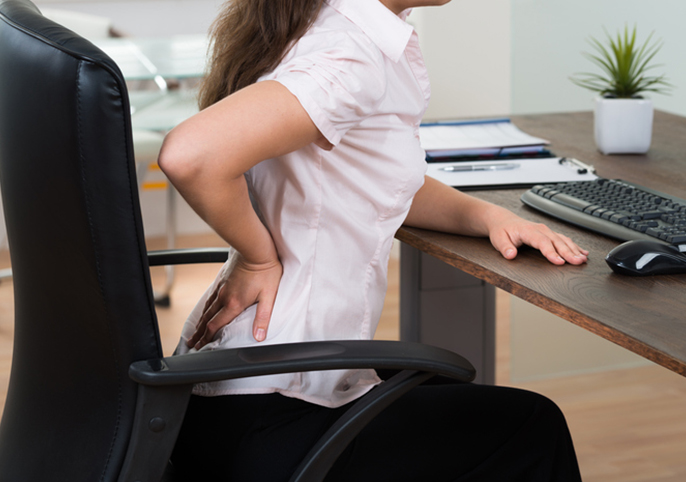
How to Properly Sit At a Computer
They say desk jobs are one of the worst jobs for your health. They’re often associated with heart disease and of course, there’s joint soreness and neck and back pain.
This is where proper office ergonomics becomes vital. Having the right chair height, equipment spacing, and correct desk posture can help keep your neck, back, and joints healthy and comfortable at work.
Properly Sit at a Computer with these tips:
Tension/pain in the neck, back, and other areas can be easily remedied by improving your posture while you’re at your desk. Here’s how to do it:
• Make sure that your feet are flat on the floor and your knees are in-line with your hips. You may have to adjust your chair height to do this.
• When seated, make sure you sit up straight and your hips are far back in the chair. There should be about 100 to 110-degree angle recline at the back of your chair.
• Sit an arm’s length away from your computer screen.
• Pull up your keyboard. It should be positioned directly in front of your body. Adjust its height so your shoulders are relaxed, your elbows are in a slightly open position (about 100 to 110-degree angle), and your wrists and hands are straight.
• To prevent neck pain and strain, your monitor should be positioned directly in front of you, just a few inches above eye level.
• Keep your neck in a neutral position and your shoulders relaxed. Be aware when your shoulders rounded forward or rise toward your ears.
Tools to help reduce back pain
• Getting the Right Chair
Having the right computer chair can make a significant difference in your posture.
The best chairs for good posture are comfortable, stable, supportive, and adjustable. Here’s a checklist that can help you find the best chair that promotes good posture:
• A Supportive backrest
The backrest should be able to offer support for your upper and lower back. Ideally, it should be something that adheres to the natural curvature of your spine.
• A Supportive headrest
Aside from having a supportive backrest, it’s also important to have a chair with a supportive headrest.
• Adjustable seat height and more
It’s easier to work on a proper posture if you have a chair with adjustable seat height, armrest height, and backrest reclining angle
• Comfortable padding
When you sit properly on the chair, does it feel comfortable? Does the padding feel too much, too little, or just right? Pick one that you think would make you feel comfortable sitting all day.
Find relief for neck and back pain
If with proper desk posture, you still end up having neck, back, and joint pain, then call us. At Ozark Orthopaedics we have specialists who can look into your symptoms and provide the best treatment for you.
Request an appointment by calling (479) 521-2752.